
What is the product?
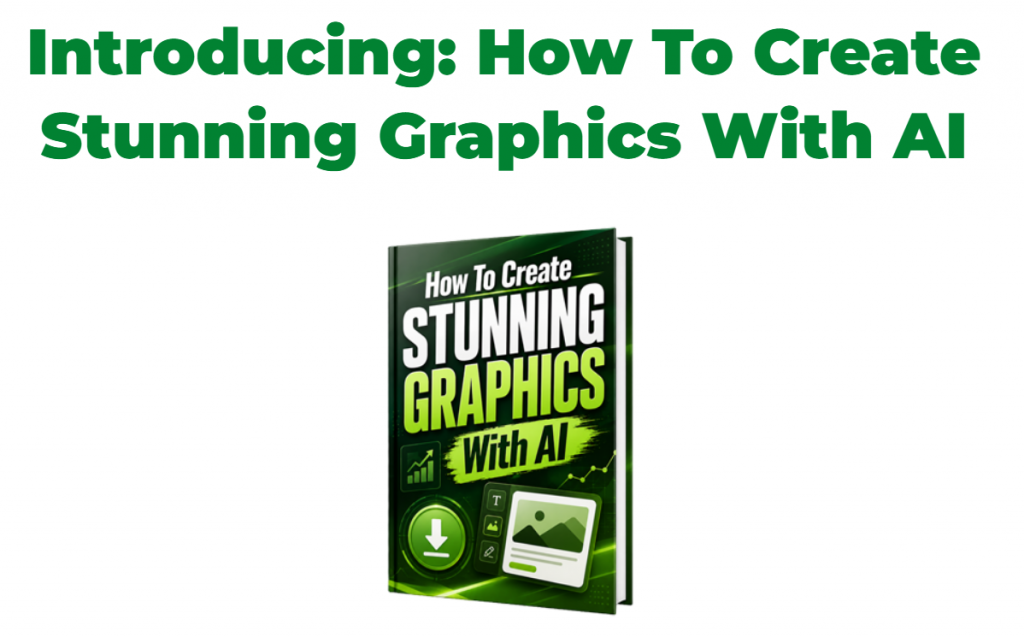
How To Create Stunning Graphics With AI is a digital guide created to help online marketers make better looking graphics with the help of AI.
It is a 79 page report that walks you through different types of marketing visuals, including YouTube thumbnails, report covers, Facebook images, Pinterest pins, ad creatives, product mockups, banners, lead magnet graphics, and more.
The nice thing about this product is that it is not really aimed at expert designers. It is made for everyday online business owners, bloggers, affiliate marketers, content creators, and digital product sellers who need attractive graphics but do not want to spend hours learning complicated design software.
Most people know that graphics matter. A good image can make someone stop scrolling. A strong thumbnail can get more clicks. A clean looking report cover can make your free guide feel more valuable. But creating those graphics is often where people get stuck.
That is where this guide comes in.
Instead of trying to teach you advanced design skills, it gives you a practical way to use AI for creating visuals that can be used in your online business. It also includes prompts, examples, and ideas you can adapt for your own projects.
Another big part of the offer is the white label license. This means you can use the product in different ways, not just read it for yourself. You can rebrand it, rename it, sell it, use it as a bonus, or give it away as a lead magnet, depending on the license terms. The package also includes useful extras such as source files, mockups, a squeeze page, a download page, and a sales page.
So, in simple terms, this is both a training guide and a ready made product package.
What does the product do?
The main job of How To Create Stunning Graphics With AI is to show you how to use AI to create graphics that look more professional and more eye catching.
This can be helpful because online marketing is very visual now. Whether you are posting on social media, making a lead magnet, creating a YouTube video, running an ad, or promoting an affiliate offer, your graphics often make the first impression.
And honestly, first impressions count.
A plain image can make a good offer look boring. A messy image can make people lose trust. A poor thumbnail can get ignored, even if the content behind it is excellent. That is frustrating, especially when you know your product, blog post, video, or free guide is actually useful.
This guide helps remove some of that frustration by giving you examples and prompts that you can use with AI tools. Rather than sitting there wondering what to type into an AI image generator, you get a starting point. You can copy the prompt, adjust it, and use it to create something that fits your brand or campaign.
The report covers graphics that many marketers need regularly, such as:
YouTube thumbnails
These can help your videos stand out and encourage more people to click.
Report covers
Useful for PDFs, free guides, checklists, and digital downloads.
Social media images
Good for Facebook posts, promotions, announcements, and content sharing.
Pinterest pins
Helpful if you use Pinterest to drive traffic to blog posts, offers, or opt in pages.
Ad creatives
These can be used to make your paid or organic promotions look more appealing.
Product mockups
These help digital products feel more real and more valuable.
Lead magnet graphics
Perfect for making free offers look polished and worth signing up for.
The product also gives you more than just ideas. Since it comes with white label rights, you can turn it into your own product or list building asset. That is useful if you do not want to start from scratch.
For example, you could rebrand the guide and offer it as a free gift to grow your email list. You could use it as a bonus for another product. You could sell it as a low priced digital product. Or you could simply keep it for your own use and apply the ideas whenever you need new graphics.
That flexibility is one of the strongest parts of the offer.
Who created the product?
How To Create Stunning Graphics With AI was created by Tony Newton.
Tony has been involved in online marketing for many years and has experience with affiliate marketing, product creation, and digital business. That background shows in the way the product is put together.
This does not feel like a guide made for graphic designers who want to create gallery level artwork. It feels more like something made by a marketer for other marketers.
And that is important.
Most online marketers do not need perfect design. They need graphics that are clear, attractive, fast to create, and useful for getting attention. They need images that help people understand an offer, click a link, download a guide, or take the next step.
The product seems to understand that real world need.
Instead of overwhelming you with technical design language, it focuses on visuals you can actually use in your business. That makes it more approachable, especially if design has always felt like a bit of a headache.
Frequently Asked Questions
Is How To Create Stunning Graphics With AI beginner friendly?
Yes, it appears to be beginner friendly. You do not need to be a professional designer to use it. The guide is made for marketers and business owners who want a simpler way to create better graphics with AI.
Do I need expensive software?
The product is focused on using AI to help create graphics, so you do not need to master advanced design software. You may still need access to AI tools or basic editing tools, depending on how you want to use the graphics.
What types of graphics can I create?
You can create or get ideas for YouTube thumbnails, report covers, Facebook images, Pinterest pins, ad graphics, mockups, banners, lead magnet images, and other marketing visuals.
Does the guide include prompts?
Yes. The product includes prompts that you can use and adapt. This is helpful because many people struggle more with the prompt than the tool itself.
Can I sell this product as my own?
Yes, the offer includes a white label license. This means you can rebrand the product and sell it as your own, based on the rights included with the package. Always read the license carefully so you know exactly what you can and cannot do.
Can I use it as a lead magnet?
Yes. This is one of the more useful ways to use it. You can rebrand the guide and give it away to grow your email list. The package also includes a squeeze page and download page, which can help you set things up faster.
Does it come with sales materials?
Yes. The package includes a sales page, squeeze page, download page, source files, and mockups. This makes it easier to use the product in your own funnel without having to create every piece yourself.
Who is this best for?
It is best for affiliate marketers, bloggers, email marketers, course creators, digital product sellers, coaches, content creators, and anyone who regularly needs graphics for online promotion.
Is this only useful if I want to resell it?
No. You can use the information inside for your own graphics too. The resale and white label options are a bonus, but the guide can still be helpful if you only want to improve your own marketing visuals.
Is there a refund policy?
The sales page states that because of the nature of the license, refunds are not available. So it is worth reading the page carefully before buying.
Conclusion
How To Create Stunning Graphics With AI is a useful and practical guide for anyone who wants to create better marketing graphics without getting buried in complicated design work.
The biggest strength of the product is that it focuses on the kinds of images online marketers actually need. Not random art. Not fancy design theory. Just useful graphics like thumbnails, report covers, social media images, pins, ads, and mockups.
That makes it feel very practical.
The included prompts are also a big help. If you have ever opened an AI tool and thought, “What am I supposed to type?”, then having ready made prompt ideas can save you a lot of time. You still need to test things, adjust the wording, and choose the best results, but the guide gives you a much easier starting point.
The white label license adds even more value. You can use the guide yourself, rebrand it, sell it, give it away, or use it as part of your own funnel. For marketers who like having ready made assets, that is a nice bonus.
Of course, like any product, it will only help if you actually use it. Buying the guide will not magically create all your graphics for you. You still need to take action, try the prompts, edit the results, and put the visuals into your content or marketing campaigns.
But if you are someone who creates blog posts, videos, lead magnets, social media content, ads, or digital products, this could be a handy shortcut.